Zero Line Getting Started Guide
Your first hour — from join button to a clean kamikaze dive without wasting cash.
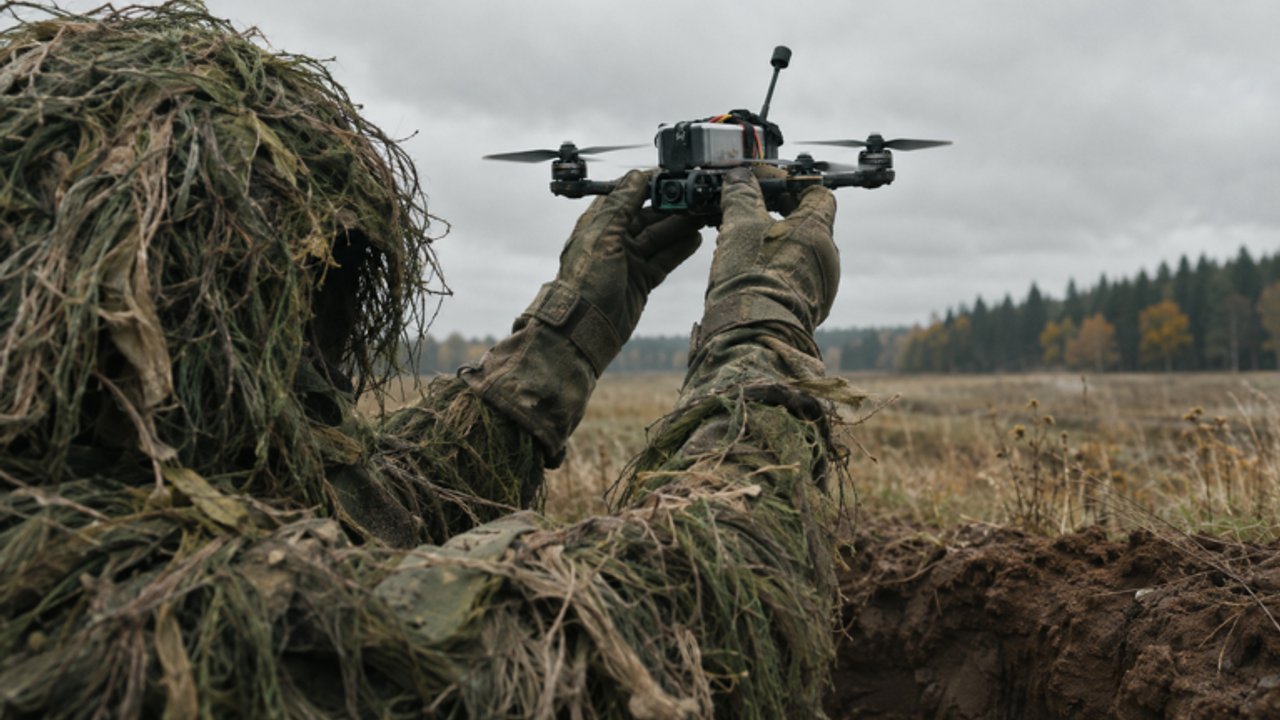
Zero Line is Pushpin Gaming’s Roblox FPV drone kamikaze experience: you pilot small drones, dive into enemy players, trucks, and helicopters, and shoot rival drones when a full kamikaze run is the wrong call. The game released on 20 October 2026, supports PC, mobile, tablet, and console, and already sits around 445k visits with online multiplayer servers. This getting-started guide is the first-hour plan — join cleanly, grab permanent bonuses, learn the UI, finish early missions, and spend your first cash on parts that matter.
If you only do three things before your first fight, do these: open the official experience, join the Pushpin Gaming group for +20% cash, and skim Controls so throttle and camera modes do not surprise you mid-dive.
Join the game the right way
- Open Zero Line from the Roblox experience page (search Zero Line by Pushpin Gaming, or use the play link from this wiki’s header CTA).
- Let the client finish loading assets. First joins on mobile can stutter; wait for the HUD before mashing launch.
- Confirm you are on a populated server. Empty servers are fine for practice, but early missions and combat sense come faster with real targets moving.
- Open Settings (gear icon) once so you know where FEEDBACK / BUG lives. You will need it if a mission fails to grant cash or an upgrade button misbehaves.
Bookmark this wiki’s Guides Hub and Codes pages. Codes will not always be live, but checking them at the start of a session is free money when they are.
Claim the Pushpin Gaming group cash bonus
Zero Line rewards players who join the Pushpin Gaming Roblox group with +20% cash. That bonus compounds across every mission payout and combat reward, so it is the highest value “upgrade” you can take before touching the shop.
- Join the group from Roblox (group page linked from the experience or creator profile).
- Rejoin Zero Line after joining so the bonus applies to the current session.
- Mentally treat every cash number as already boosted; do not “save” the group join for later — there is no reason to farm at a discount.
The Players Hub covers multiplayer etiquette and why group membership also helps you stay close to patch chatter. For now, treat +20% as mandatory day-one hygiene.
Pick among the three drones
Zero Line features three drones. Exact names and stats shift with balance patches, so use this first-hour rule instead of chasing a viral clip:
- Starter comfort drone — pick the option that feels most stable in a short hover test. New pilots need predictable throttle more than peak dive speed.
- Aggressive dive drone — unlock or select this when you can already line up trucks without overcorrecting yaw.
- Gun-focused or hybrid drone — better when you want to strip enemy drones before committing your airframe.
Spend five minutes in a low-pressure area: climb, strafe, practice a shallow dive, and fire the gun if available. If the stick feel is chaos, stop and read Controls before buying anything. Hardware does not fix bad inputs.
For a meta snapshot later, open the Tier List Hub. On day one, stability beats tier letters.
First missions — build the habit loop
Zero Line layers daily and weekly missions on top of a 55-level progression track. Your first hour should clear the easiest dailies, not speedrun level 55.
Recommended first-hour mission plan:
- Accept every available daily that mentions simple objectives (fly time, basic destroys, or low-tier targets).
- Complete one clean kamikaze on a soft target (player or light vehicle) so you understand the dive commit.
- Complete one gun engagement on an enemy drone so you know the alternate win condition.
- Turn in rewards, note cash gained with the group bonus, then stop mission-hopping long enough to buy your first real upgrade.
Deeper streak strategy lives in Missions. Early on, consistency matters more than perfection — a finished easy daily beats three abandoned hard ones.
UI tour — what to watch every sortie
Learn these HUD pieces before you chase highlight clips:
- Throttle / altitude feel — know whether you are climbing, holding, or sinking before you aim at a truck roof.
- Battery or endurance readout — longer batteries mean longer hunts; do not dive from half a map away on a near-empty cell.
- Signal / antenna context — if the picture softens at range, that is your cue to close distance or upgrade antennas later.
- Camera mode indicators — normal view versus night vision versus thermal. Flip modes deliberately; do not leave thermal on in bright chaos if it hurts contrast for you.
- Cash and mission trackers — glance between lives so you know whether the next destroy finishes a daily.
Settings gear → FEEDBACK / BUG is how you report broken UI or reward bugs to the studio. Use it with short reproduction steps.
What to upgrade first
Cash sinks in Zero Line include batteries, propellers, antennas, night vision, thermal cameras, plus camo skins and outfits. Skins look great and can help silhouette breaks, but they do not replace endurance or control authority.
First-hour priority:
- Battery — more airtime equals more mission attempts per life.
- Propellers — cleaner climbs and more trustworthy dive corrections.
- Antenna — once you start hunting past close range.
- Night vision / thermal — when you play evening sessions or struggle to ID trucks and players in clutter.
- Skins / outfits — after the above feel respectable, or when a camo clearly helps your preferred map lighting.
Full priority trees and “when to stop upgrading X” advice sit in the Upgrades Guide. Pair that with Codes whenever a promo drops free cash or items.
First combat checklist
Before you greed a helicopter:
- Warm up with a slow figure-eight and one practice dive into open ground.
- Pick a truck or isolated player before contested heli fights.
- Decide gun versus kamikaze before the final approach — swapping mid-panic usually wastes the drone.
- After a death, change one variable (approach angle, throttle hold, or camera mode), not five.
When you are ready for deeper dive lines and thermal reads, continue to Combat Tactics. Keep the Guides Hub open as your index.
Platform notes for the first hour
- PC — mouse look plus dedicated keys make fine yaw adjustments easier; lower sensitivity if you constantly overshoot roofs.
- Mobile / tablet — use a stable grip; consider a clip-on controller if your thumbs fight the FPV sticks. Larger tablets help with thermal contrast.
- Console — confirm look inversion and dead zones early; FPV rewards small stick movements more than flick shots.
Zero Line is online multiplayer. Expect contested targets, revenge dives, and the occasional chaotic sky full of drones. Stay polite in chat, do not harass after kills, and use Roblox report tools for genuine abuse — details on Players.
End-of-first-hour goals
You are “done” with onboarding when you can:
- Launch without menu confusion.
- See the +20% group cash working on payouts.
- Finish at least one daily mission cleanly.
- Survive long enough to spend cash on battery or propellers deliberately.
- Switch camera modes on purpose.
- Know where Codes, Tier List, Controls, and Combat guides live on this wiki.
Everything after that is reps. Short sessions with one focus beat marathon tilt. Come back to this page if you take a break — the checklist still works after patches, even when drone stats shuffle.
Quick links for your second session
- Controls — master throttle, pitch, yaw, roll, fire, dive, NV, and thermal.
- Upgrades Guide — spend cash in the right order.
- Combat Tactics — trucks, helis, players, and gun versus kamikaze choices.
- Missions — daily and weekly streak habits across 55 levels.
- Codes and Tier List — free rewards and meta checks.
- Tools — warm-up and upgrade path checklists before you queue.
Frequently Asked Questions
Quick answers to the most common Zero Line questions.
How do I get more cash in Zero Line as a beginner?
Join the Pushpin Gaming group for +20% cash, clear easy daily missions, redeem any active codes, then buy battery and propeller upgrades before cosmetics.
Which drone should I use first?
Choose the most stable of the three drones for your first hour. Switch to dive- or gun-focused options after you can control throttle and camera modes.
Does Zero Line work on phone and console?
Yes. The experience supports PC, mobile, tablet, and console. Adjust sensitivity and dead zones early so FPV inputs feel small and precise.
Where do I report bugs?
Open the in-game Settings gear and use FEEDBACK / BUG with short steps to reproduce. Also check the Updates Hub after patches.
What should I unlock before skins?
Prioritize batteries, propellers, and antennas, then night vision or thermal cameras for visibility. Buy camo skins and outfits after your core flight kit feels solid.